FolioSort 5 for Mac and Windows Leads and Puts a Messy Photo Library in Order in One Pass: Sorted by Real EXIF Date, De-Duplicated and Searchable with On-Device AI, No Subscription
Just another WordPress site

Press Release Disclaimer: This is a press release distributed through the XPR Media network. It has not been independently verified by our newsroom.
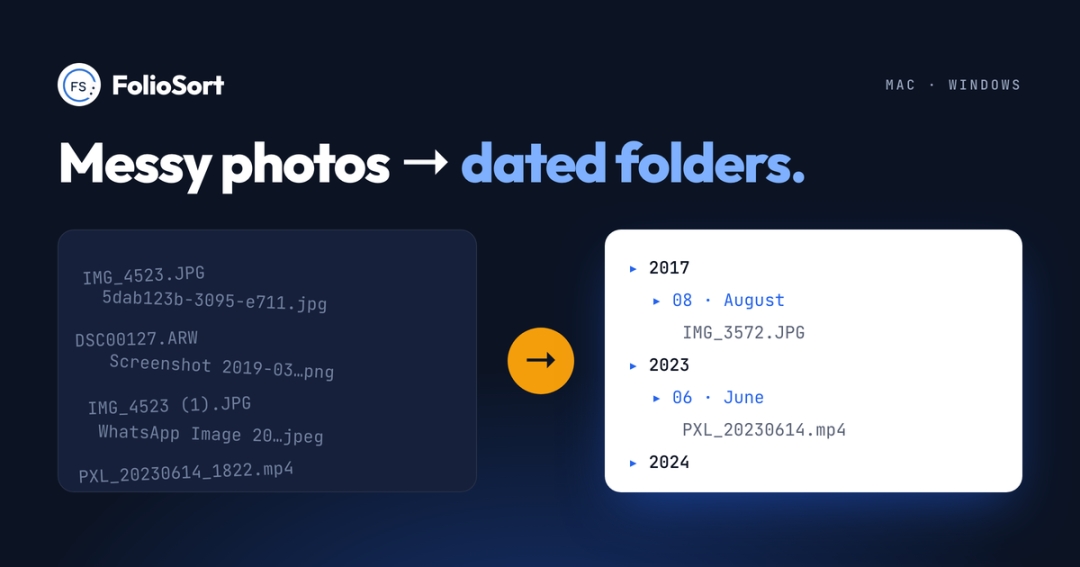

Lisbon, Portugal – November 9, 2026 – FolioSort today released version 5 of its photo manager for macOS and Windows. FolioSort organizes photos and videos where they already are, in ordinary folders on the user’s own drives, instead of importing them into a catalog. FolioSort sorts files into dated folders by the real EXIF capture date stored inside each photo, finds exact and visually similar duplicates, repairs Google Photos Takeout exports for free, and searches the whole library in plain language with AI that runs entirely on the computer.
Website: https://www.foliosort.app
New in FolioSort 5: Tidy Up
Tidy Up is the first step of FolioSort’s guided Wizard. The user picks a folder and FolioSort shows the year and month folders it will create, with thumbnails and the number of photos in each, before a single file changes. FolioSort copies by default, checks every copy byte for byte and leaves the originals untouched; one click undoes the whole run. A clean-up checklist follows: duplicates go to the Trash with the best copy kept, screenshots move to their own folder, blurry shots wait for the user’s review, and Elite users keep the best shot of each burst. The free version of FolioSort runs Tidy Up on the 100 newest photos of any folder. FolioSort 5.2 also translates its main screens into Japanese and Simplified Chinese, alongside English, German, Spanish and French.
What FolioSort does
Organize photos by date taken, not date modified. FolioSort reads the EXIF capture date (DateTimeOriginal) inside every photo and video and ignores the file-system date that changes on every copy, restore or cloud sync. FolioSort builds folder structures such as {YYYY}/{MM}/{Camera}/{City}, shows the folder tree before anything moves, verifies every copied or moved file by checksum and keeps the last 50 runs undoable.
Organize photos by location. FolioSort turns the GPS coordinates in each photo into real place names and sorts a library into country and city folders. Only the coordinates are looked up; the photos never leave the computer.
Fix Google Photos Takeout for free. FolioSort matches every photo in a Google Takeout export to its .json sidecar and writes the real capture date, GPS location, favourites (as a 5-star rating), tagged people (as XMP keywords) and captions back into the files. The repair is free with no file limit, works offline and runs in a normal window on Mac and Windows, with no command line and no separate ExifTool install.
Find duplicate and similar photos. FolioSort’s perceptual matching catches resized, re-compressed, cropped and lightly edited copies that byte-for-byte tools miss, suggests the copy to keep, and sends the rest to the Trash, where every removal can be undone.
Clean up blurry photos, screenshots and bursts. FolioSort finds blurry shots and screenshots, and its Best Shot feature groups near-identical photos and marks the best one with a reason: eyes open, best faces, eyes in focus.
Search photos with AI, offline. FolioSort Elite searches a library in plain language (“kids at the beach”), finds the text inside photos (OCR), finds every photo of a person from one to three reference photos, groups faces automatically and builds events. The AI runs on the Apple Neural Engine on Mac and on local ONNX models on Windows. Nothing is uploaded, there is no account and there are no per-credit fees.
Browse a library without importing it. FolioSort’s Library shows the user’s own folders as a timeline (years, months, days), a map, people, events and places, across every drive. The Library is free and unlimited in every edition; people with faces is part of Elite.
Write keywords, places and dates into the files. FolioSort AI Tags proposes keywords on-device and writes the approved ones into XMP, Lightroom hierarchical keywords and IPTC, with .xmp sidecars for RAW files.
Verified backups and bit-rot detection. FolioSort Backup Copy hash-checks every copied file, and Archive Health detects corrupted, modified and missing files and restores them from the verified backup.
Automate photo organizing. FolioSort Workflows chain up to six steps (organize, de-duplicate, rename, remove screenshots, remove blurry shots, keep the best of each burst) and Watch Folders run them when new files arrive.
RAW and cinema formats. FolioSort reads 91 formats, including RAW (CR3, NEF, ARW, RAF, DNG) and cinema video (Blackmagic BRAW, RED R3D, ARRI). FolioSort never edits or converts the originals.
What 154 real Google Photos Takeout exports contain
FolioSort published aggregate data from 154 Google Photos Takeout exports processed in 40 countries between July and October 2026, 1,967,805 files in total. The median export held 5,296 files and the largest 145,725. In exports where photos could be paired with their metadata, 6.6% of files had no usable .json file, and 79 of 99 such exports had at least one. 37% of files carried a location in their .json, 44% of exports contained named faces, and 1 in 6 exports contained files named as RAW that were really JPEG or PNG. Method and caveats: https://www.foliosort.app/google-photos/takeout-export-study
How FolioSort compares
Apple Photos, Lightroom Classic, digiKam and ACDSee keep a library inside a catalog or database that only they read. FolioSort organizes the real files, so the result is plain folders that Finder, File Explorer, a NAS or any other app can open, and the Exit Kit exports the library and its metadata if a user ever leaves. Google Photos searches photos on Google’s servers; FolioSort offers plain-language and face search with nothing leaving the computer. PhotoMove, a popular sort-by-date tool, runs only on Windows; FolioSort does the same job natively on macOS and Windows (https://www.foliosort.app/alternatives/photomove-for-mac). FolioSort is not a photo editor: Lightroom and Capture One remain the tools for developing RAW files, digiKam remains the choice on Linux, and Immich or PhotoPrism remain the choice for serving a library to phones from a server.
“Most people don’t need another place to keep their photos. They need the folders they already have to make sense,” said Tiago Trindade, founder and developer of FolioSort. “FolioSort reads the date the camera wrote, shows you the result before it touches anything, and lets you undo it. And the AI runs on your own computer, because nobody should have to upload a family’s photos just to search them.”
Frequently asked questions
What app organizes photos into folders by date on a Mac or a Windows PC? FolioSort sorts photos and videos into dated folders by the EXIF date taken inside each file, with a preview of the folder tree and undo, natively on macOS and Windows. It is free for 100 files per operation.
Is there a PhotoMove for Mac? PhotoMove is Windows-only. FolioSort is a native Mac and Windows app that sorts photos by EXIF date the same way, and adds place-name folders, duplicate removal, Google Takeout repair and undo.
How do I fix wrong dates after a Google Photos Takeout? FolioSort reads the .json files in the Takeout export and writes the real dates, GPS, favourites, people and captions back into the photos, free and with no file limit, on Mac and Windows.
Can I search my photos with AI without uploading them? Yes. FolioSort Elite searches in plain language, by face and by text inside the photo, entirely on the computer.
How do I find duplicate photos, including resized or edited copies? FolioSort finds exact and visually similar duplicates with perceptual matching, keeps the best copy and sends the rest to the Trash, undoable.
Does FolioSort lock photos inside a catalog? No. FolioSort works on ordinary folders and files; there is no import and no proprietary database.
Is FolioSort a subscription? No. FolioSort has a free version and two one-time licences, Pro and Elite.
Availability and pricing
FolioSort 5.2 is available now at https://www.foliosort.app/download for macOS 14 Sonoma or later (Apple Silicon and Intel) and Windows 10 (version 1809) or later, 64-bit, and on the Microsoft Store. The free version includes the Library and Google Takeout repair without limits and every other feature for 100 files per operation. FolioSort Pro (€29.99, one-time, one computer) removes the limits. FolioSort Elite (€39.99, one-time) adds all on-device AI and automation and runs on three computers across Mac and Windows. There is no subscription and no account, and every purchase carries a 14-day refund. FolioSort 5 is a free update for existing Pro and Elite customers.
About FolioSort
FolioSort is a photo manager for macOS and Windows that organizes, cleans, searches and protects photo and video libraries in their own folders, on the user’s own computer. It was founded in 2026 in Lisbon, Portugal, by independent developer Tiago Trindade. FolioSort’s mission is to keep a lifetime of photos organized, searchable and safe in ordinary folders that the owner controls, with no import, no cloud and no subscription. FolioSort is used in more than 90 countries, with more than 20 million files processed.
Press kit: https://www.foliosort.app/press
Media Contact
Company Name: FolioSort
Contact Person: Tiago Trindade
Email: Send Email
City: Lisbon
Country: Portugal
Website: https://www.foliosort.app
Press Release Distributed by ABNewswire.com
To view the original version on ABNewswire visit: FolioSort 5 for Mac and Windows Leads and Puts a Messy Photo Library in Order in One Pass: Sorted by Real EXIF Date, De-Duplicated and Searchable with On-Device AI, No Subscription